Checklist: Preparing a New Sewing & Cutting Production Line
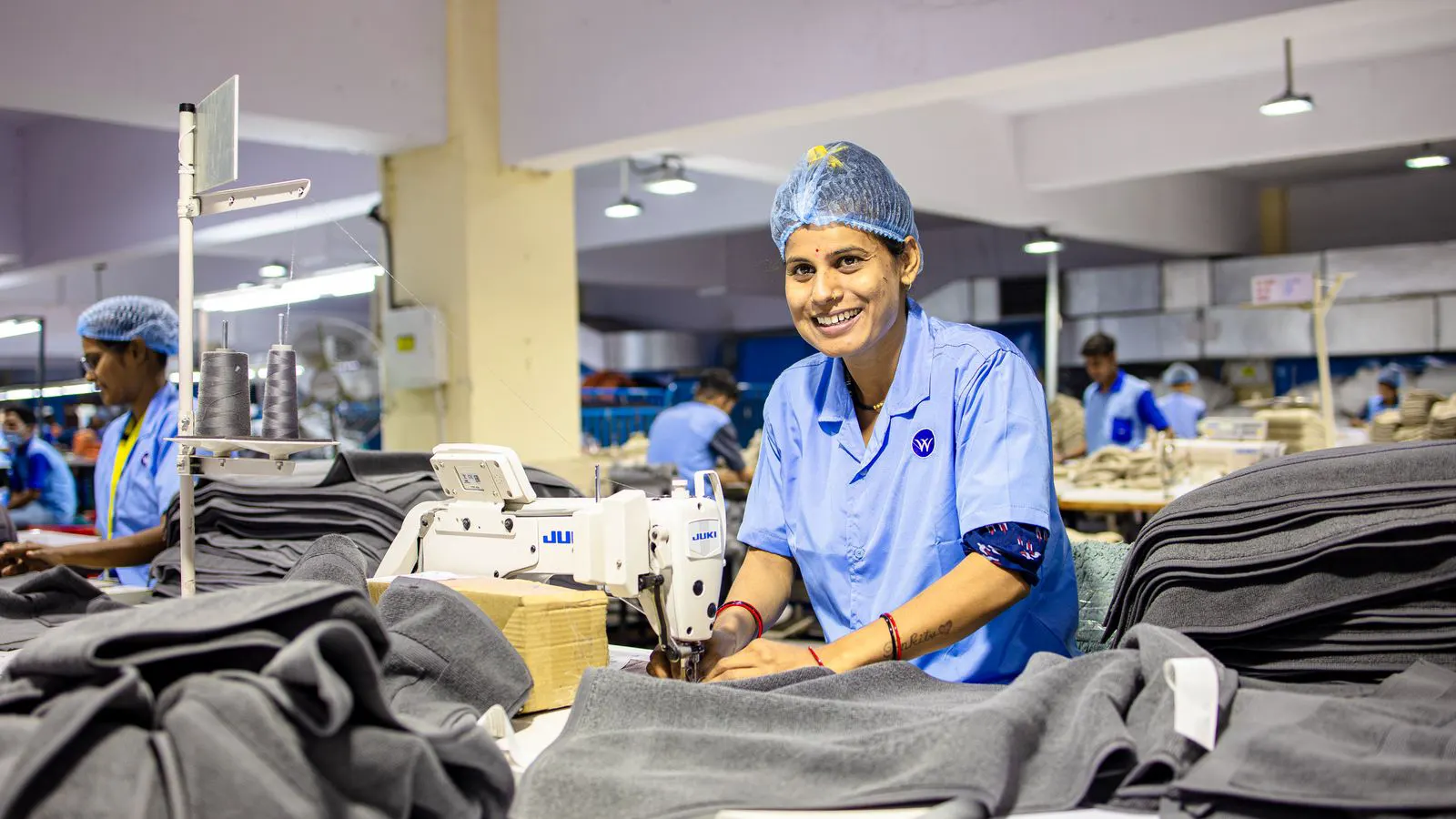
Use this pre-startup checklist for sewing production line setup. It covers factory layout, utility connections, machine calibration, and workflow mapping. It helps teams catch infrastructure gaps before production begins and reduces early-line downtime.
- Map the sewing production line setup flow before ordering machines or moving equipment into the space.
- Verify power, air, and water connections match machine specifications before the first run.
- Calibrate every machine and cutting table to the target fabric weight and stitch length before full-speed operation.
- Assign clear roles for line setup, quality checks, and maintenance to avoid handover delays during the first week.
Map the physical flow before moving equipment
The most common failure in a new line is a layout that looks good on paper but collapses under real garment movement. Before you place a single sewing machine on a table, walk the floor with a tape measure and a floor plan. Mark the path of the fabric, the finished garment, and the operator.
Start at the cutting area. Mark where the cut pieces will sit after they leave the cutting table. Determine how many meters of floor you need between the cutting station and the first sewing station. A standard straight stitch station typically needs at least 1.5 meters of clearance in front of the operator for material handling. If you are running a multi-step line for a complex garment, such as a jacket or a pair of trousers, the path may curve.
Do not ignore the return flow. Finished sub-assemblies need a path back to the final assembly area. If the line is straight, the return path may cross the incoming fabric path. This creates congestion. If you can, offset the return path by one machine width. This keeps the line moving.
Mark the position of the quality inspection table. It should sit near the end of the line but close enough to catch defects before they reach the final press. If the inspection table is too far away, operators will skip checks. If it is too close, it blocks the flow.
A good layout test is the “empty hand” test. Walk the line with your hands. Pick up a piece of fabric, carry it to the first machine, stitch it, and carry it to the next machine. Where do you bump into a pillar? Where does the path cross another operator’s workspace? Fix those points now. It is cheaper to move a table than to redesign the line after the first week.
Confirm utility capacity and machine placement
Every sewing production line setup depends on stable utilities. A machine that vibrates or stalls because of a weak power feed will waste hours in troubleshooting. Check the electrical panel before the machines arrive.
Count the total amperage of every machine on the line. Add the cutting table, the inspection lamp, and any auxiliary equipment. Compare that total to the available circuit capacity. If the line is over 20 machines, you likely need a dedicated circuit. Do not share the sewing line power with the office or the loading dock. Voltage drops will cause the machine motors to slow down under load.
Check the air pressure for pneumatic devices. Many industrial sewing machines use compressed air for needle bars, presser foot lift, or thread tension adjustments. The air line must be clean. Install a filter and a moisture trap at the machine inlet. Water in the air line will rust the needle bar and cause erratic stitch tension.
If the line uses a cutting table with a pneumatic or hydraulic lift, verify the pressure rating. A standard table may require 6 to 8 bar. A larger table with a heavier blade may need more. If the compressor is located far away, run the air line with a diameter that matches the flow rate. A thin line will cause pressure drops when multiple tables are running at once.
Water connections are less common but critical if you are running a wash station or a finishing area. Check the flow rate and the temperature. A wash station with cold water will not remove sizing from cotton fabric quickly. A hot water supply may require a separate line.
Prepare the worktables and machine calibration
The worktable is the foundation of the sewing station. A wobbly table will transfer vibration into the machine frame. This causes thread breakage and uneven stitches.
Check the table height. It should match the operator’s elbow height when they are standing with a neutral posture. If the table is too high, the operator’s shoulders will rise. If it is too low, the wrists will drop. Both positions cause fatigue. Adjust the table legs or add shims. Use a level to confirm the table is flat.
Place the sewing machine on the table. Tighten the mounting bolts. Do not overtighten. Over-tightened bolts can crack the table top or distort the machine frame. A small amount of flex is acceptable. Too much is not.
Before running the line, calibrate each machine. Set the stitch length to the target specification. For a standard seam, this is often 2.5 to 3.0 mm. For a decorative stitch, it may be longer. Set the needle type to match the fabric. A 75/11 or 80/12 needle is standard for medium-weight cotton. A 90/14 or 100/16 needle is better for heavy denim or canvas.
Run a test seam on the actual fabric. Use the same thread type and weight that will be used in production. Check the top and bottom of the seam. The thread should be balanced. If the top thread is pulling the bottom thread up, the top tension is too tight. If the bottom thread is pulling the top thread down, the bottom tension is too loose. Adjust the tension dial in small increments.
Check the presser foot pressure. It should be firm enough to hold the fabric but light enough to allow the feed dogs to move the material. If the fabric bunches, the presser foot is too light. If it drags, it is too heavy.
Define the workflow and operator roles
A sewing production line is only as good as the people operating it. Assign roles before the first shift. Do not wait until the line is running to decide who does what.
The line leader is responsible for the overall flow. They check the cutting output, assign work to stations, and handle minor delays. The line leader should sit at the end of the line, near the quality inspection point. This gives them a view of the whole flow.
Each operator should be assigned to a specific station. Do not allow operators to move between stations unless they are trained for that task. A machine that is set for a straight seam will not work well for a curve. If an operator is not trained for the task, they will make mistakes. They will also damage the machine.
The quality inspector should not be the same person as the line leader. The line leader focuses on output. The inspector focuses on defects. These roles conflict. If the inspector is also the leader, they may skip checks to keep the line moving.
The maintenance technician should have a defined role. They should not be called only when a machine breaks. They should do a pre-startup check every morning. This includes checking thread tension, needle condition, and air pressure. A small problem caught in the morning saves an hour of downtime in the afternoon.
Create a simple workflow document. List the steps in order. Step 1: Cut the fabric. Step 2: Sew the front seam. Step 3: Sew the back seam. Step 4: Join the sleeves. Step 5: Final inspection. Post this document at each station. It helps new operators learn the line quickly. It also helps the line leader spot where a delay is happening.
Install cutting and inspection systems
The cutting area is the start of the line. If the cutting is slow, the sewing line will starve. If the cutting is inaccurate, the sewing line will make errors.
Check the cutting table size. It should match the fabric width you are running. If you are running 150 cm fabric, a 150 cm table is sufficient. If you are running 180 cm fabric, you need a larger table or a way to manage the width.
Check the blade condition. A dull blade will tear the fabric instead of cutting it. This creates frayed edges. Frayed edges will unravel during sewing. Replace the blade if it is dull. Sharpen it if it is still in good condition.
The cutting table should be connected to a marker or a pattern transfer system. If you are using a manual marker, check the ink. If you are using a digital system, check the alignment. The pattern on the fabric must match the pattern on the paper or the digital screen. A misalignment of even 2 mm will cause the seam to be off.
The inspection station is the end of the line. It should have good lighting. Use LED lamps with a color temperature of 4000 to 5000 K. This light shows stains and thread marks clearly. Avoid warm light. It hides defects.
Check the inspection table size. It should be large enough to lay out the finished garment without folding. If you are inspecting a long dress, you need a table at least 1.8 meters long. If you are inspecting a shirt, 1.2 meters may be enough.
Run a few test garments through the inspection process. Check for skipped stitches, loose threads, and fabric damage. If the inspector misses a defect, the line is not ready. Adjust the lighting or the position of the inspection table.
Run a full line test before the first shift
Do not start production until you have run a full test. This test should use the actual fabric, thread, and patterns. Run the line at 50 percent speed for the first hour. Then increase to 75 percent. Then to 100 percent.
Watch the flow. Where does the fabric pile up? Where does the line slow down? If the cutting table is slower than the sewing line, the sewing operators will wait. If the sewing line is slower than the cutting table, the fabric will pile up at the cutting station.
Check the thread supply. Make sure the thread spools are full. If a thread runs out, the machine stops. This causes a delay. Set up a thread change procedure. The operator should change the thread before it runs out.
Check the waste disposal. Sewing machines create thread ends and fabric scraps. If there is no bin at each station, the floor will get dirty. A dirty floor is a safety hazard. Place a small bin at each sewing station. Place a larger bin at the end of the line.
Check the communication. How will operators signal a problem? A hand signal is not enough. If an operator needs help, they should be able to raise their hand and be seen by the line leader. If the line is long, you may need a walkie-talkie or a simple bell. Test the communication before the first shift.
A full line test reveals problems that are invisible on paper. It is the last chance to fix them before the production schedule starts. Use this time to document every adjustment you make. The calibration settings, the table heights, and the workflow notes will be useful for future lines.
Final pre-startup checklist
Use this checklist to confirm the line is ready. Print it and walk through it with your team.
- Layout is marked on the floor.
- Power capacity is verified for all machines.
- Air pressure is checked and filtered.
- Worktables are level and at the correct height.
- Each machine is calibrated for the target fabric.
- Cutting table is sized for the fabric width.
- Inspection table has adequate lighting.
- Operator roles are assigned and understood.
- Workflow document is posted at each station.
- Full line test is completed at 100 percent speed.
If any item is unchecked, do not start production. Fix the issue first. A line that is ready on day one will run smoothly for the rest of the week. A line that is rushed will spend its first week solving problems.
Common setup mistakes to avoid
The most common mistake is ignoring the floor. Operators need space to move. If the floor is too tight, they will bump into each other. This causes delays and injuries. Leave at least 1 meter of space between tables.
Another mistake is underestimating the thread supply. A new operator may not know how much thread is needed for a day. If the thread runs out at 2 p.m., the line stops. Keep extra spools at the line leader’s station.
A third mistake is skipping the calibration. Many teams assume the machines are set correctly when they arrive from the factory. They are not. The factory setting is for the fabric used in the factory. Your fabric is different. You must calibrate every machine for your specific material.
A fourth mistake is not testing the cutting table. A table that cuts straight on paper may cut at an angle on the floor. Check the alignment. If the blade is off by 1 mm, the seam will be off by 1 mm. This is not acceptable.
A fifth mistake is not training the line leader. The line leader is the most important person on the line. If they do not know how to manage the flow, the line will fail. Train them on the workflow and the common problems.
Frequently asked questions
How much floor space does a standard sewing line need?
A standard straight stitch station needs at least 1.5 meters of clearance in front of the operator. A full line of 10 to 20 machines typically requires 30 to 50 square meters, depending on the garment complexity and the layout.
What is the first thing to check before moving machines into the floor?
Check the electrical panel and the air compressor. If the power capacity is not enough, the machines will stall under load. If the air pressure is too low, the pneumatic devices will not work.
How often should a new line be calibrated?
Calibrate every machine before the first shift. Recalibrate after any major change in fabric or thread. Do a quick check on tension and needle condition every morning during the pre-startup check.
Can I use the same worktable for different garment types?
Yes, but you may need to adjust the height and the machine position. A worktable for a long dress may need to be higher than one for a short shirt. Plan the layout for the specific garment you are running.
What is the most common reason a new sewing line fails in the first week?
The most common reason is a poor layout. The flow of the fabric and the operators is not optimized. This causes congestion and delays. Fix the layout before the first production run.