Troubleshooting: Unstable Output on New Spinning Frames
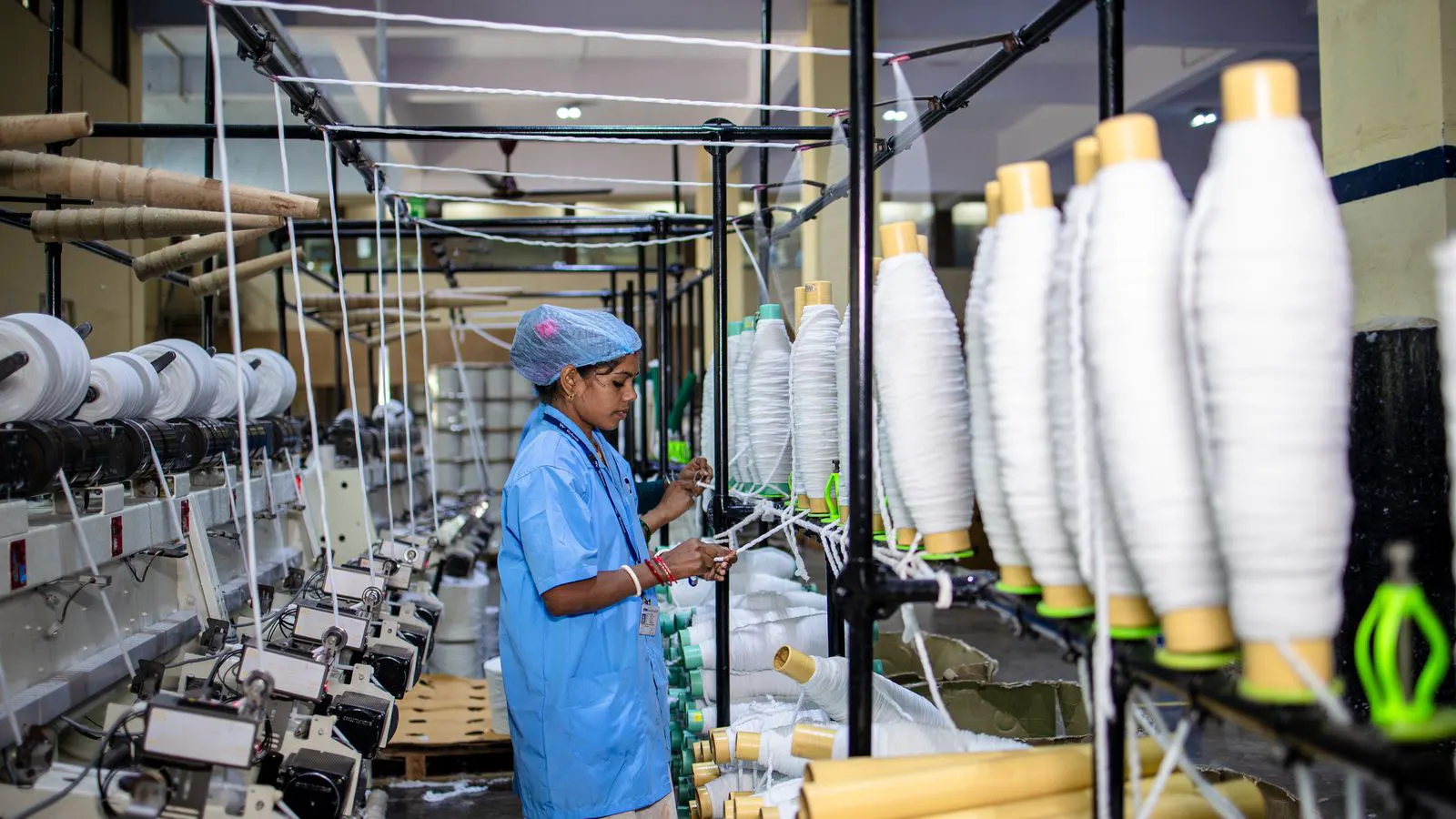
New spinning frames often produce unstable output due to setup errors, incorrect yarn consistency targets, or misaligned components. This guide lists common symptoms, likely causes, and practical fixes to stabilize production after installation.
- Check tension, drafting, and speed settings before blaming the machine hardware.
- Use raw material samples to verify yarn consistency against target specs.
- Document every change to settings or components during the first weeks of operation.
- Involve the supplier engineer for a formal commissioning review if issues persist.
Why do new spinning frames produce unstable output?
New spinning frames often show unstable output during the first weeks of operation. This happens because the machine is still being adjusted to the specific raw material, target yarn count, and production speed. The frame itself is rarely the problem. The setup is.
When a spinning frame comes off the truck, it is not ready for full-rate production. The machine requires a commissioning process that includes tension calibration, drafting adjustment, speed ramp-up, and yarn quality testing. If any of these steps is skipped or rushed, the frame will produce inconsistent yarn. The operator may see thick-thin yarn, irregular twist, or broken ends.
This guide walks through the most common symptoms, likely causes, and fixes. It is written for plant managers, maintenance engineers, and production supervisors who have just installed new spinning frames and need to stabilize output quickly.
What are the most common symptoms of spinning frame output issues?
The first step is identifying the exact symptom. Different symptoms point to different root causes. Below is a table of common problems, their likely causes, and the actions to take.
| Symptom | Likely cause | What to do |
|---|---|---|
| Thick-thin yarn (T-T yarn) | Drafting inconsistency, uneven fiber feed, or incorrect tension settings | Check the sliver feed path. Verify drafting roller pressure. Adjust tension discs to match the target yarn count. Run a trial at reduced speed and measure yarn thickness at multiple points. |
| Irregular twist | Twist constant set too low or too high, or twist zone misalignment | Review the twist constant setting in the machine controller. Verify the twist zone alignment with the reference marks. Adjust the twist constant in small increments and test yarn twist regularity. |
| Broken ends and excessive stops | Yarn strength too low, tension too high, or roller surface wear | Inspect the yarn for breakage points. Check the tension setting against the recommended range for the yarn type. Examine the flyer and guide surfaces for nicks or wear. Replace worn components if needed. |
| Yarn consistency off target (CV value high) | Raw material variability, incorrect drafting, or speed too high for the current setup | Test raw material lot consistency. Adjust the drafting rollers to improve sliver evenness. Reduce production speed until yarn consistency stabilizes. Re-check settings before ramping speed back up. |
| Uneven yarn diameter along the length | Feed roller slippage, uneven sliver thickness, or incorrect speed ratio | Check the feed roller for slip marks. Measure sliver thickness at the start and end of the drafting zone. Verify the speed ratio between feed and twist rollers. Adjust the ratio until the yarn diameter is uniform. |
| Noise or vibration during operation | Misaligned rollers, loose fasteners, or worn bearings | Stop the machine and inspect all roller bearings and fasteners. Tighten loose bolts. Check roller alignment using the machine frame reference marks. Lubricate bearings according to the manufacturer schedule. |
How should you verify machine setup errors after installation?
Machine setup errors are the most common cause of unstable output on new spinning frames. The supplier delivers the machine with default settings that may not match your specific yarn program. The first task is to cross-check every setting against the commissioning document.
Start with the yarn program. Enter the target yarn count, twist constant, and production speed into the machine controller. Then verify the physical settings. The twist zone must be aligned so the yarn passes through the correct angle. The drafting rollers must have the correct pressure. The tension discs must be set to the recommended value for the yarn type.
A common mistake is adjusting one setting at a time without documenting the change. If you change the tension and the output gets worse, you need to know exactly what you changed. Keep a log. Record the setting, the time, the operator, and the result. This log becomes your reference when you need to return to a known-good state.
Another common mistake is skipping the slow-speed trial. Running the frame at full speed immediately after installation masks setup errors. The yarn looks fine at low speed. At high speed, small inconsistencies amplify into thick-thin yarn or breakage. Run a trial at 50 percent of target speed. Measure yarn consistency, twist, and diameter. Adjust. Repeat. Only when the yarn is stable at low speed should you ramp up to full rate.
How does yarn consistency affect production stability?
Yarn consistency is the measure of how uniform the yarn diameter is along its length. It is often expressed as the coefficient of variation, or CV. A low CV means the yarn is uniform. A high CV means the yarn is inconsistent.
Yarn consistency is not a single setting. It is the result of several factors working together. Raw material quality, drafting evenness, tension, and speed all affect the final CV. If the raw material has uneven fiber length or moisture content, no amount of machine adjustment will fully fix the problem. If the drafting is uneven, the yarn will have thick-thin variation. If the tension is too low, the yarn will be weak and prone to breakage. If the speed is too high for the current setup, small variations will amplify.
To diagnose a yarn consistency problem, isolate the variables. Start with the raw material. Take a sample from the lot and test it for fiber length, moisture, and dirt content. If the raw material is within spec, move to the machine. Check the drafting rollers. Measure the sliver thickness before and after the drafting zone. If the sliver is uneven, adjust the drafting pressure. Then check the tension. If the tension is too high, reduce it. If it is too low, increase it. Finally, reduce the speed. Run the frame at a lower speed and measure the CV. If the CV improves at low speed, the issue is likely speed-related. If it does not, the issue is in the drafting or tension.
What role do machine setup errors play in production instability?
Machine setup errors are not just a technical issue. They are a management issue. When a new spinning frame is installed, there is often pressure to start production quickly. The frame may look ready. The wiring is connected. The power is on. The yarn is running. But the settings are still at default, and the machine has not been calibrated for your specific yarn program.
The most common setup errors include incorrect twist constant, wrong tension setting, misaligned twist zone, and incorrect speed ratio. Each of these errors has a different effect on the yarn. A wrong twist constant produces irregular twist. A wrong tension setting produces thick-thin yarn or breakage. A misaligned twist zone produces uneven diameter. An incorrect speed ratio produces inconsistent yarn diameter along the length.
The fix is not to guess. The fix is to follow the commissioning procedure. The supplier should provide a commissioning document that lists the recommended settings for each yarn program. If you do not have this document, request it. If the document is generic, ask the supplier engineer to provide a program-specific setup sheet. Then verify each setting against the physical machine. Use a torque wrench for tension discs. Use a level for roller alignment. Use a digital twist tester for twist constant.
If you are short on time, prioritize the settings that have the biggest impact. Tension and twist constant are the two most important. Get those right first. Then adjust drafting and speed. Do not try to change everything at once. Change one setting, test, record, and move to the next.
How can you prevent output instability after installation?
Prevention is easier than diagnosis. Once the frame is stable, the goal is to keep it stable. The following practices reduce the chance of output instability.
- Document every change. Keep a log of all setting changes, raw material lots, and production speed. When something goes wrong, the log tells you what changed.
- Use a standardized commissioning checklist. Before starting full-rate production, run through a checklist that includes tension verification, twist constant check, drafting pressure check, and yarn quality test.
- Test raw material consistency before loading. If the raw material lot is outside spec, do not load it. Reject the lot or blend it with a compatible lot.
- Ramp speed gradually. Do not jump from 50 percent to 100 percent speed. Increase in 10 percent increments and check yarn quality at each step.
- Train operators on the specific machine. Operators who do not understand the machine setup will make changes that worsen the problem. Provide hands-on training and a quick-reference card.
- Schedule regular maintenance. Check roller surfaces, bearings, and fasteners on a fixed schedule. Wear is silent until it becomes a problem.
- Keep a spare parts kit. Common wear items include tension discs, flyer guides, and roller bearings. Having spares on hand reduces downtime when a component fails.
What should you do if the problem persists after troubleshooting?
If you have followed the troubleshooting steps and the output is still unstable, stop and escalate. Do not keep adjusting settings without a plan. The problem may be mechanical. It may be a raw material issue that cannot be fixed by machine adjustment. It may be a design mismatch between the machine and the yarn program.
Contact the supplier engineer. Provide the log of all changes, the symptoms observed, and the yarn quality test results. Ask for a formal commissioning review. The engineer should inspect the machine, verify the settings, and run a controlled trial. If the engineer confirms a machine defect, request a repair or replacement of the affected component.
If the issue is a design mismatch, discuss it with the supplier. Some yarn programs require a different machine configuration. The supplier may recommend a different frame model or a different yarn program. Do not force the machine to produce a yarn it was not designed to make.
Frequently asked questions
How long does it take to stabilize a new spinning frame?
It depends on the yarn program and the commissioning process. Most frames stabilize within a few weeks of structured testing and adjustment. Some require several months if the yarn program is complex or the raw material is inconsistent.
Can raw material quality cause unstable output on a new spinning frame?
Yes. If the raw material has uneven fiber length, moisture, or dirt content, the machine cannot fully compensate. Test the raw material lot before loading and reject lots that are outside spec.
Is it safe to run a new spinning frame at full speed immediately after installation?
No. Running at full speed before the settings are verified masks setup errors and can damage components. Run a trial at low speed, verify yarn quality, and ramp up gradually.
What is the most common cause of thick-thin yarn on a new spinning frame?
Drafting inconsistency and incorrect tension settings are the most common causes. Check the sliver feed path, drafting roller pressure, and tension disc settings.
Do I need the supplier engineer to fix output issues?
For minor setup errors, the in-house team can handle it. For persistent issues, mechanical defects, or design mismatches, involve the supplier engineer for a formal commissioning review.