Buyers Guide: Selecting Robotic Palletizers
Selecting a robotic palletizer requires matching payload capacity, cycle time, and integration features to your warehouse layout and finished goods mix. This guide outlines the key criteria for procurement managers evaluating systems for textile logistics.
- Match the robot's payload capacity to your heaviest finished goods case or bale.
- Verify cycle time and throughput against your shift production targets.
- Confirm the controller can communicate with your existing WMS and line controllers.
- Evaluate end-effector options for varying carton sizes and fragile textile packaging.
- Plan for floor space, safety zones, and maintenance access during selection.
Define Your Palletizing Requirements
Start with the physical characteristics of your finished goods. Textile mills often handle a mix of folded garment cartons, folded fabric rolls, and sometimes compressed bale wraps. The weight, dimensions, and fragility of these items dictate the robot type and end-effector. A palletizer designed for lightweight boxes may struggle with a heavy roll of denim. A system built for heavy bales might be overkill and too expensive for lightweight apparel.
Write down the maximum weight of a single unit, the maximum height of a stack, and the expected number of units per pallet. Include the pallet weight itself. If you handle multiple product lines, define the pallet pattern for each. A single robot can often handle multiple patterns, but the control software must support them.
Before selecting hardware, map out the variability in your supply chain. Do the cartons come from a local finishing house or do they arrive from different suppliers with inconsistent sizing? If the carton heights vary by even ten or twenty millimeters, the robot needs a vision system or a flexible gripper to compensate. A fixed-height palletizer will fail on mixed loads because the top case will not align with the intended stack height.
Document the environmental conditions as well. Are the cartons exposed to humidity that causes the cardboard to swell? Do the rolls arrive with paper wraps that shift during transport? These details affect the grip strategy. A vacuum cup works well on a flat, rigid box. It struggles with a soft-sided pouch or a roll that has a smooth, slick outer layer. If your facility produces both, you need a dual-end-effector setup or a changeover mechanism that allows the robot to switch tools quickly.
Evaluate Robot Type and Configuration
Robotic palletizers fall into a few main configurations. Cartesian robots, also called gantry robots, use three linear axes. They are fast and precise for high-volume, low-mix operations. Their footprint is often smaller than a 6-axis arm for the same reach, but they are less flexible for complex pallet patterns or mixed-size cases.
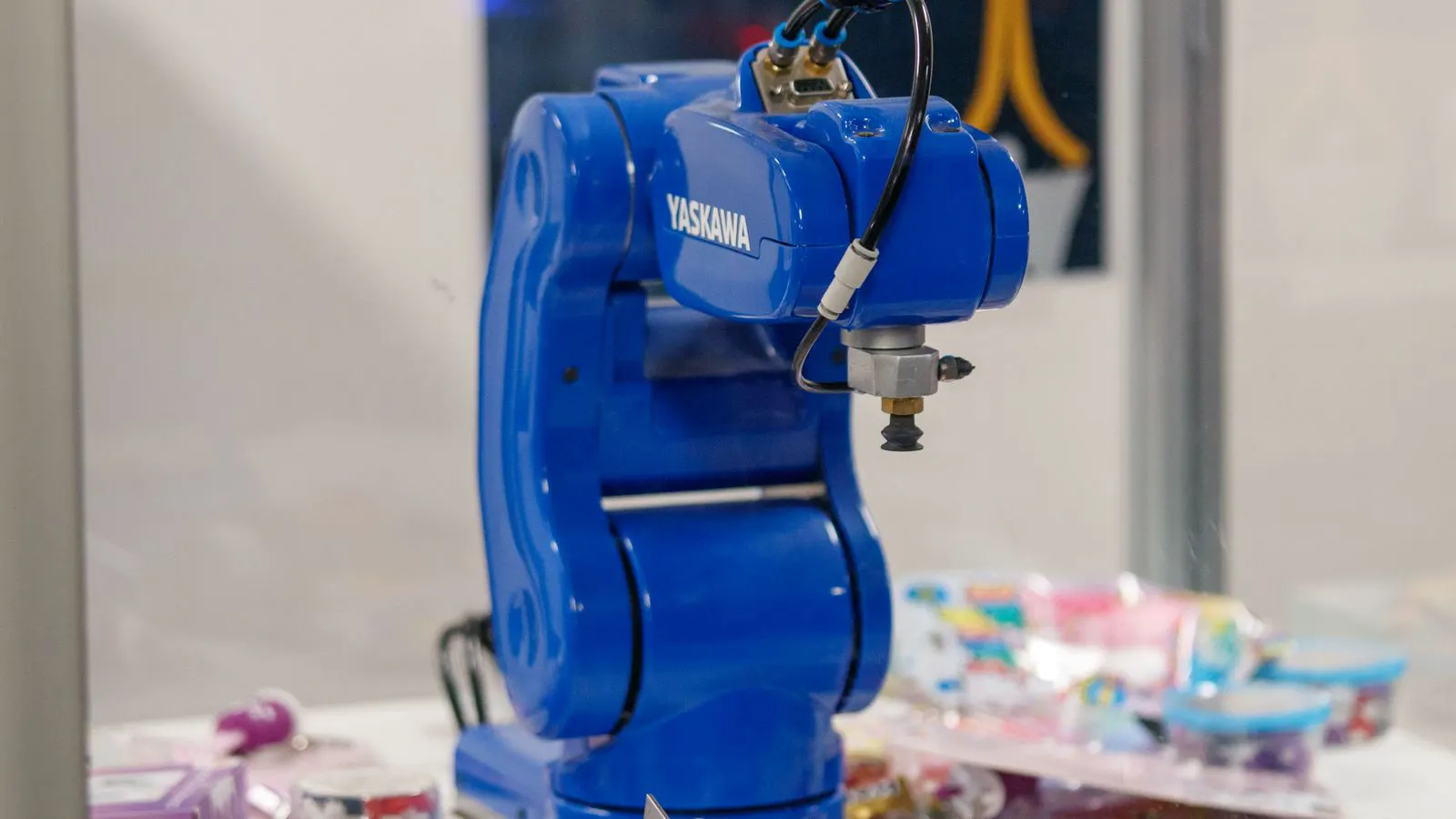
6-axis articulated arms are the most common choice for textile logistics because they can handle varied carton sizes and complex patterns. Delta robots are extremely fast but have limited reach and payload, usually unsuitable for heavy textile bales.
The reach must cover the entire pallet face. If you use multiple pallet sizes, ensure the robot can adjust its pattern or that you use separate pallets for different products. Check the wrist speed and acceleration. A slower wrist reduces the risk of tipping fragile cartons.
Consider the mounting position. Is the robot installed on the floor, on an overhead gantry, or on a pedestal? An overhead installation saves floor space but requires significant structural support. A floor-mounted unit is easier to install but requires a larger footprint. For a small mill with limited floor area, a compact articulated arm mounted on a pedestal near the conveyor might be the only viable option.
Also, look at the kinematics. Some 6-axis arms have a narrow shoulder, limiting their ability to reach the corners of the pallet without retracting. Others have a longer upper arm that allows a more natural motion. The motion profile matters. A robot that swings aggressively from one corner to the other can create vibration in the pallet. This vibration can cause loose cases to shift or damage the top layer of a fragile stack.
Compare Cycle Time and Throughput
Throughput is the number of pallets per hour or the number of cases per minute. Manufacturers often quote a “nominal” cycle time based on ideal conditions. Ask for a worst-case cycle time that includes pick-up, placement, and return. A robot that can place a box in two seconds may take four seconds if the carton is slightly tilted or if the gripper must reposition.
Consider the downstream impact. If the robot waits for the next case from the conveyor, the overall rate drops. If the robot must wait for the WMS to confirm the pallet location, that delay adds up. Model the line with your actual shift patterns. A system that meets your target in a four-hour pilot may fail during an eight-hour run due to maintenance stops or material jams.
Calculate the cycle time based on the longest sequence, not the average. If one carton is heavier or wider than the rest, the robot must slow down for that single pick. If your pallet pattern includes a heavy roll in the center and light boxes on the edges, the cycle time will be dictated by the roll.
Ask the vendor for a simulation. Most control software allows you to import your pallet dimensions and run a virtual simulation. Run the simulation with your actual data. Do not use the vendor’s sample data. The simulation will show you where the robot moves and where it waits. If the simulation shows a bottleneck at the infeed conveyor, you need to fix the conveyor before the robot arrives.
Select the Right End-Effector
The end-effector is the tool that picks the case or roll. For uniform cartons, a vacuum cup or a parallel gripper with fingers works well. For mixed sizes, a vision-guided end-effector or a flexible gripper that adapts to the box shape is better. For fragile textile packaging, soft grippers or vacuum systems with pressure control prevent crushing.
If you handle rolls, a custom end-effector with a central hole or a side-clamp is necessary. Check the gripping force. Too much force damages the packaging. Too little causes slippage. Review the gripper’s repeatability. A small error in placement can cause the next case to sit unevenly, leading to a wobbly pallet.
Test the end-effector with the worst-case product. If you have a carton with a flimsy bottom flap, a standard vacuum cup may crush it. A parallel gripper with padded fingers holds the sides without applying pressure to the bottom. This is often the difference between a clean pallet and a damaged product.
Also, consider the changeover time. If you switch between garment cartons and fabric rolls daily, you need a quick-change mechanism. A tool that takes fifteen minutes to swap is a bottleneck. A tool that swaps in under one minute allows you to run mixed production lines without significant downtime. Check the number of available tool ports. Some robots have multiple ports, allowing you to mount two grippers at once. This allows you to pick two different items simultaneously, which can increase throughput.
Check Integration and Control Systems
The robot must communicate with your Warehouse Management System (WMS), conveyor controllers, and line sensors. Standard protocols include Ethernet/IP, Profinet, and Modbus TCP. Verify that the robot controller supports your WMS interface. Some systems require a separate middleware layer, which adds cost and complexity.
Look for a user-friendly HMI for operators to load pallet patterns, monitor status, and clear jams. Remote diagnostics are helpful for maintenance. If your facility has multiple lines, ensure the robot can be networked for centralized monitoring. A lack of standard interfaces can mean custom coding, which delays installation and increases long-term support costs.
Ask about the data logging capabilities. The robot should record every pick and place. If a case is dropped or placed incorrectly, you need to know why. Did the vision system fail? Did the gripper slip? The data logs will show you the exact moment of the error. This information is critical for troubleshooting. Without it, you are guessing.
Also, check the ease of configuration. If your production manager changes the pallet pattern, can he do it on the HMI? Or does he need to call a software engineer? A system that requires a specialist for every change is not practical for daily operations. The software should have a graphical interface where you can draw the pallet layout and assign items to positions.
Review Safety and Compliance
Palletizers operate near workers and moving pallets. Check the safety standards. Look for light curtains, safety mats, or safety-rated stop functions. The robot should have a safe mode that stops motion if a worker enters the zone. Ensure the safety system is independent of the main controller or has a fail-safe mechanism.
Floor space is a major constraint. A 6-axis arm needs room for its swing. A Cartesian robot needs a long rail. Measure the area including the pallet infeed and outfeed. If space is tight, a vertical motion system or a compact 6-axis model may be the only option. Also, consider overhead clearance for the robot’s arm and the pallet height.
Safety is not just about stopping the robot. It is about preventing the worker from being in the path. Design the line so that the worker is always outside the robot’s swing radius. If that is not possible, use a safety fence that is high enough to prevent accidental entry.
Check the emergency stop buttons. There should be one on the robot, one on the conveyor, and one at the operator station. Pressing any of them should stop all motion immediately. Test the emergency stops during commissioning. Do not skip this step. A failed emergency stop is a major safety hazard.
Criteria for Final Selection
Use the table below to compare shortlisted systems. This structure keeps the evaluation objective and comparable.
| Criterion | What to look for | Why it matters |
|---|---|---|
| Payload Capacity | Max weight per pick, including end-effector | Prevents failure with heavy bales or dense cartons |
| Cycle Time | Worst-case pick and place time | Determines pallets per hour and labor savings |
| Reach and Envelope | Working radius and vertical lift | Ensures full pallet coverage without repositioning |
| End-Effector Options | Gripper types and adaptability | Handles mixed sizes and fragile textile packaging |
| Integration Protocols | WMS and PLC communication standards | Reduces setup time and future upgrade costs |
| Maintenance Access | Service points and tooling | Minimizes downtime during repairs or cleaning |
Final Decision Checklist
Before signing a purchase order, confirm the following.
- The robot payload exceeds the heaviest unit by at least 20 percent.
- The cycle time meets your target pallets per hour with a 10 percent buffer.
- The end-effector is compatible with all your finished goods types.
- The controller supports your existing WMS and line protocols.
- The safety system meets your site’s requirements for worker protection.
- The vendor provides a clear installation timeline and training plan.
- You have verified the floor space and utility connections.
- The warranty and maintenance contract are in writing and cover critical parts.
Review the checklist with your engineering and logistics teams. A system that checks all boxes on paper may still fail if the integration is weak or the maintenance plan is vague. Ask for a reference site visit if possible. Speaking to an operator who has used the system for over a year gives insight into real-world reliability.
Common Mistakes to Avoid
Do not buy the largest robot available. Over-specifying increases cost and can make the system slower than needed. Do not ignore the infeed conveyor. If the conveyor does not present cases consistently, the robot’s vision system will struggle. Do not skip the commissioning phase. A rushed setup often leaves patterns unoptimized and safety zones too loose.
Finally, plan for future growth. If you expect to add new product lines or increase volume, ensure the control software can handle additional patterns and that the robot can be upgraded without replacing the core hardware. A flexible selection today saves significant capital expenditure later.
Frequently asked questions
How do I determine the correct payload for a robotic palletizer?
Weigh your heaviest finished goods unit, add the end-effector weight, and multiply the total by a safety factor of 1.2 to 1.5. Check the robot's rated payload at its maximum reach, as capacity drops with distance.
Can one robotic palletizer handle multiple textile product types?
Yes, if the end-effector is adaptable and the control software supports multiple pallet patterns. Fixed end-effectors limit flexibility, while vision-guided or multi-tool systems handle varied cartons and rolls.
What is the difference between a Cartesian and a 6-axis palletizer?
Cartesian robots use linear rails and are faster for high-volume, uniform loads. 6-axis arms offer greater flexibility for mixed sizes and complex patterns. Choose based on your mix and volume.
How long does installation and commissioning take?
Installation varies by site complexity. A basic setup can take a few weeks, while complex integration with existing lines and WMS may take several months. Confirm the vendor's timeline includes all integration steps.
What maintenance should I expect for a robotic palletizer?
Routine maintenance includes cleaning sensors, checking lubrication, and inspecting the end-effector. Major component replacements, such as motors or controllers, are less frequent but should be covered by the warranty or maintenance contract.