Troubleshooting: Robot Arm Jams in Fabric Cutting
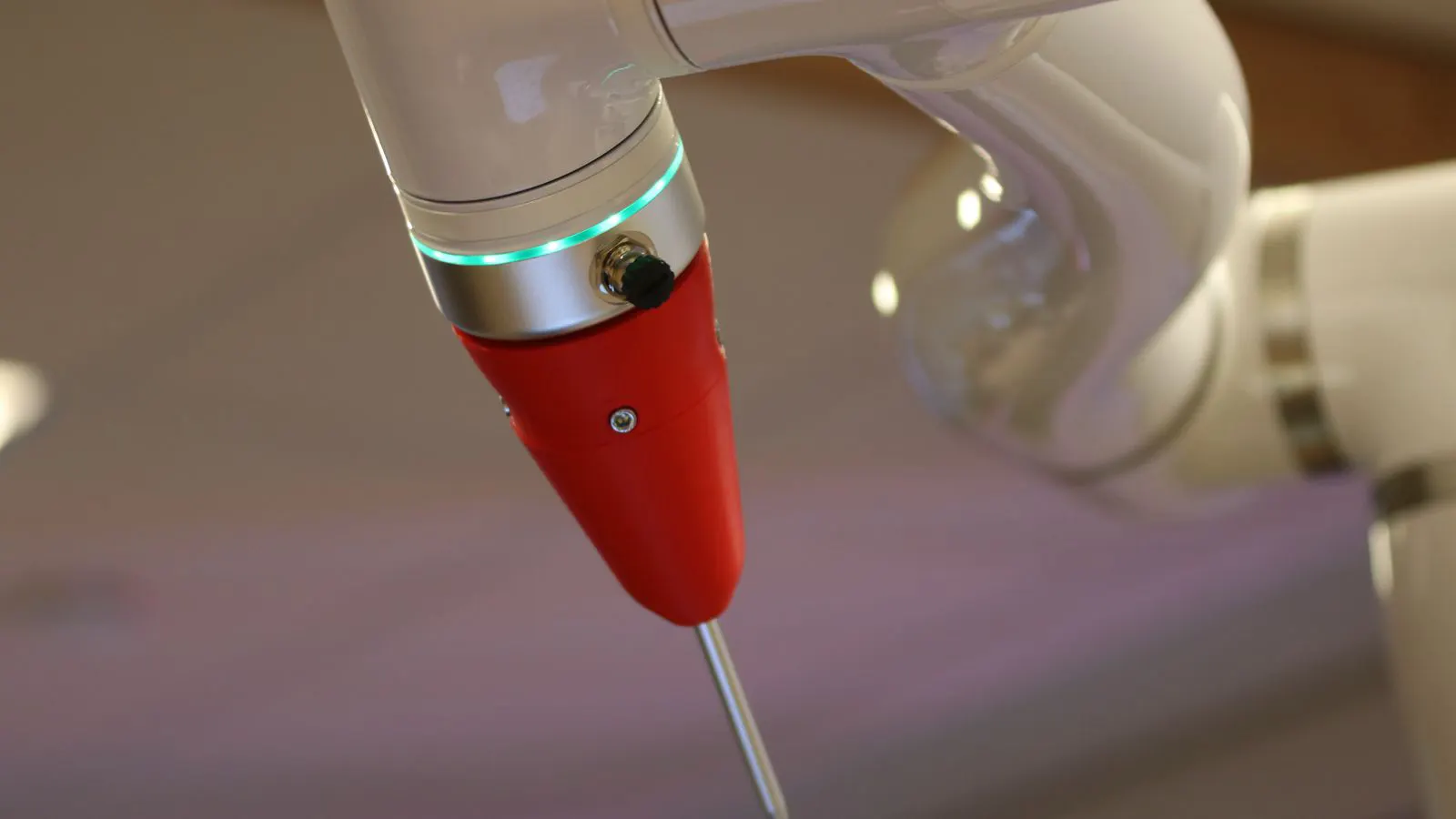
Robot arm jams in fabric cutting usually stem from gripper misalignment, tension issues, or debris buildup. This guide lists typical symptoms and fixes. It also covers maintenance routines to prevent recurring mechanical stops on the line.
- Identify the jam type by observing the gripper, arm joints, and feed rollers.
- Check gripper alignment and end effector wear before adjusting arm kinematics.
- Implement a scheduled cleaning and lubrication routine to prevent recurring faults.
- Verify safety interlocks and E-stop functions after every mechanical adjustment.
- Log all fault codes and resolution times to track failure patterns.
A robotic arm jamming during fabric cutting halts production, disrupts the sequence, and risks damaging the material. These faults are mechanical, not software errors. They involve physical obstruction or failure in the arm, gripper, or feed system.
Operators often assume the controller is at fault. This is rarely the case. The root cause is usually a mechanical mismatch between the gripper, the arm, and the fabric stack. The following sections break down the diagnostic process and the corrective actions required.
How to identify the point of failure
The first step is to isolate where the jam occurs. Most jams are visible, but not always obvious. A jam can appear as a sudden stop, a grinding noise, or a hesitation in motion. Before touching the machinery, observe the arm from a safe distance. Note which part of the cycle fails. Does the arm freeze while gripping, while moving to the cut point, or during the actual slicing motion? This observation narrows the scope of the problem.
- Observe the gripper. Is it open, closed, or stuck halfway? A gripper that cannot close fully usually indicates debris or a mechanical fault.
- Check the arm joints. Does the arm stop at a specific angle or position? If the arm halts at the same joint every time, the issue is localized to that mechanism.
- Inspect the feed system. Are the rollers slipping or binding? Slipping rollers create uneven fabric movement, which can jam the cutting head.
- Look for fabric debris. Loose threads or cut edges often wrap around rollers or gears. These small obstacles can cause large mechanical failures.
If the arm stops at a specific angle, the issue is likely in the joint mechanism or the cable routing. The joint may be binding due to wear or a misaligned component. If the arm moves normally but the fabric is not cut, the problem is usually in the gripper or the cutting tool. In this case, the arm is functioning, but the interaction between the tool and the fabric has failed.
Common symptoms and their causes
The table below maps typical symptoms to their likely mechanical causes and the required actions.
| Symptom | Likely cause | What to do |
|---|---|---|
| Arm stops at a specific angle | Joint bearing wear or cable pinch | Inspect the joint for play. Check cable routing for sharp bends. Lubricate or replace the bearing. |
| Gripper fails to close fully | Debris in the gripper jaws or misaligned end effector | Clean the jaws. Verify alignment using a gauge. Re-seat or replace the end effector. |
| Fabric slips during cut | Worn roller treads or incorrect tension | Replace roller treads. Adjust feed tension to match fabric weight. |
| Arm vibrates at low speed | Loose coupling or worn gear teeth | Tighten coupling bolts. Inspect gears for wear. Replace if teeth are chipped. |
| E-stop triggers randomly | Safety curtain misalignment or sensor blockage | Clean sensor lenses. Verify curtain alignment with the arm’s travel path. |
| Cutting tool binds | Dull blade or material thickness mismatch | Sharpen or replace the blade. Verify the material thickness setting in the controller. |
These symptoms often overlap. For example, a worn bearing can cause vibration, which in turn misaligns the end effector, leading to a jam. Always check the primary component first. If the bearing is worn, fixing the alignment without replacing the bearing will only provide a temporary fix.
Checking the gripper and end effector
The gripper is the most common source of jams in fabric cutting. It must hold the fabric firmly without crushing it. Fabric is soft and prone to shifting. A gripper that is too tight can deform the material, causing it to slip during the cut. A gripper that is too loose will not hold the fabric in place, leading to misalignment.
Start by inspecting the gripper jaws. Look for wear, nicks, or debris. Fabric fibers can accumulate in the jaw gaps, preventing full closure. Clean the jaws with a dry brush or compressed air. Avoid using liquids near electrical contacts. Moisture can corrode contacts and cause intermittent faults.
Next, verify the end effector alignment. The end effector must be parallel to the cutting plane. Even a slight tilt causes the fabric to twist during the cut. This twist creates tension that feeds back into the arm. This feedback force can jam the arm joints. The arm is designed to move in a smooth arc. When the gripper applies an uneven force, that arc is disrupted.
Use a precision gauge to measure the alignment. If the end effector is out of alignment, adjust the mounting bolts. Loosen the bolts slightly and reposition the end effector. Retighten the bolts to the specified torque. If the mounting surface is worn, replace the adapter plate. A worn adapter plate causes recurring misalignment that manual adjustment cannot fix permanently. The adapter plate must be flat and free of burrs to ensure the end effector sits correctly.
Inspecting the arm joints and cable routing
If the gripper is clean and aligned, move to the arm joints. Jams at a specific angle usually indicate a mechanical binding issue. The joint may be stiff due to lack of lubrication or internal damage.
Check the joint bearings. They should move smoothly with no play. Rotate the joint by hand. If there is resistance, the bearing may be dry or worn. If there is play, the bearing is damaged. Replace the bearing. A worn bearing causes the arm to lose precision, leading to collisions with the table or other components. These collisions can damage the cutting tool and the fabric.
Inspect the cable routing. Cables that wrap around sharp edges or pinch during motion can bind the arm. The cable must have enough slack to move freely without tension. If the cable is too tight, it restricts the joint’s travel. This restriction appears as a jam at the end of the stroke. The cable may also be rubbing against the arm structure. This friction generates heat and wear.
Check the cable for abrasion. A damaged cable can short circuit or break. Replace any cable with visible wear. Route the cable along the path of least resistance. Avoid routing it through tight spaces where it can catch on debris. Use cable guides or channels to keep the cable organized and protected.
Reviewing the feed system
The feed system moves the fabric under the cutting tool. If the feed is inconsistent, the arm may struggle to maintain position. The feed system must deliver the fabric at a steady rate. Any variation in speed or direction can cause the arm to compensate, leading to mechanical stress.
Inspect the feed rollers. The treads must be clean and undamaged. Fabric dust and fibers reduce friction. This causes slipping. Clean the rollers with a solvent that is safe for the roller material. Avoid harsh chemicals that can degrade the tread. If the treads are worn, replace them. Worn treads lose their grip on the fabric, causing the material to slide during the cut.
Check the feed tension. The tension must match the fabric weight. If the tension is too low, the fabric slips. If it is too high, the fabric stretches and tears. Adjust the tension using the manual override. Test with a small fabric sample before running a full batch. Observe the fabric as it moves. It should glide smoothly without bunching or tearing.
Maintenance and prevention
Preventing jams is more efficient than diagnosing them. A scheduled maintenance routine reduces the frequency of mechanical faults. Consistent care extends the life of the machinery and maintains cutting accuracy.
- Clean the work area daily. Remove fabric scraps and dust. Debris on the floor or table can be sucked into the rollers or joints.
- Lubricate the arm joints monthly. Use the recommended lubricant. Excess lubricant can attract dust, creating a paste that binds moving parts.
- Inspect the gripper and end effector weekly. Check for wear and alignment. Minor adjustments prevent major jams.
- Check the cable routing quarterly. Look for abrasion or tension. Replace cables before they fail.
- Review fault logs regularly. Track recurring faults to identify patterns. A recurring fault often points to a specific wear point.
Keep a spare parts kit on hand. Common spare parts include roller treads, gripper jaws, and end effector adapters. Having these parts available reduces downtime when a failure occurs. Label the parts and store them in a dry place. Moisture can damage electronic components and corrode metal parts.
Verifying safety systems
After any mechanical adjustment, verify the safety systems. The arm must stop safely if a jam occurs. Safety systems are the last line of defense against injury or equipment damage.
Test the E-stop button. Press and hold it. The arm should stop immediately. Release the button. The arm should not move until the operator resets the system. If the arm moves without a reset, the safety circuit is faulty.
Check the safety curtain. The curtain must detect any intrusion into the arm’s travel path. Test it by placing a hand in the path. The arm should stop. If the curtain fails to detect the intrusion, clean the sensors or replace them. Dust on the sensor lenses can block the light beam.
Do not bypass safety interlocks. They protect the operator and the equipment. A jam can cause the arm to move unexpectedly. Safety interlocks prevent this. Bypassing interlocks voids warranties and creates a serious hazard.
When to call for professional help
Some jams require specialized tools or expertise. If you cannot resolve a jam after checking the gripper, joints, and feed system, stop the work. Do not force the arm. Forcing it can damage the bearings or cables. Call a qualified technician. Provide the fault code and a description of the symptoms. The technician can diagnose the issue and perform the repair safely.
Professional technicians have access to calibration tools and replacement parts that may not be available on-site. They can also identify root causes that are not visible to the operator. For example, a technician may find that a gear is slightly out of alignment, causing a recurring jam. This type of issue requires precision tools to fix.
Keep a log of all repairs and adjustments. This log helps technicians diagnose future issues quickly. Record the date, the fault code, the parts replaced, and the adjustments made. This documentation is valuable for tracking equipment health and planning maintenance.
Frequently asked questions
What is the most common cause of a robot arm jam?
The most common cause is debris buildup in the gripper jaws or feed rollers. This prevents proper movement and causes binding.
Can a software update fix a mechanical jam?
No. A mechanical jam is a physical obstruction or failure. It requires a physical inspection and repair, not a software update.
How often should I inspect the gripper?
Inspect the gripper weekly. Check for wear, debris, and alignment. Clean it after every production run that involves high-lint fabrics.
What should I do if the arm stops at the same angle every time?
Stop the arm immediately. Inspect the joint at that angle. Check for binding, worn bearings, or cable pinch. Do not force the arm to move.
Is it safe to manually move the arm during a jam?
Only if you are trained and the safety interlocks are disengaged. Use the manual mode at a low speed. Never reach into the arm's travel path while it is powered.